Creating Professional Flyers with AI: A New Era of Digital Design
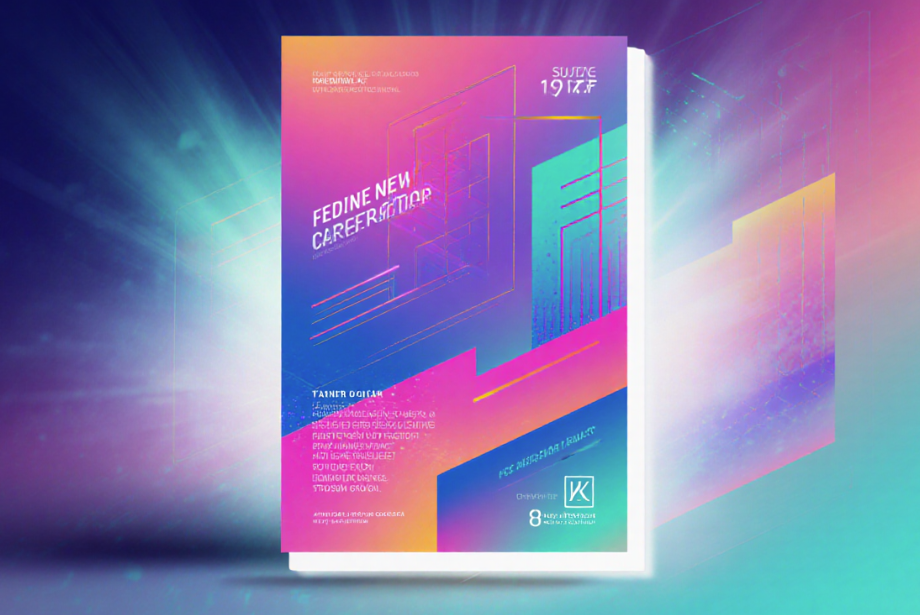
Flyers have long been an effective way for businesses, event organisers, educational institutions, and service providers to communicate with their audiences. Whether used to promote a new product, announce an event, advertise a discount, or introduce a service, a professionally designed flyer can deliver important information quickly and attract attention.
In the past, creating a high-quality flyer usually required professional design skills, expensive software, or the assistance of a graphic designer. Today, artificial intelligence is transforming this process. AI-powered design tools can generate attractive layouts, suggest promotional text, recommend colour combinations, and produce complete flyer designs within minutes.
This new approach is making professional design more accessible to businesses of all sizes. Small companies, freelancers, marketing teams, and individuals can now create effective promotional materials without spending hours learning complex design software.
What Is an AI Flyer Maker?
An AI flyer maker is a digital design platform that uses artificial intelligence to help users create promotional flyers. Instead of manually arranging every design element, users can provide a short description of their campaign, event, product, or business.
The AI tool then generates a suitable flyer based on the information provided.
An AI flyer maker may assist with:
- Selecting a professional layout
- Generating headlines and promotional text
- Recommending images and icons
- Choosing suitable colours
- Adjusting fonts and text sizes
- Organising content clearly
- Creating calls to action
- Resizing designs for different platforms
For example, a restaurant owner can enter information about a weekend discount, preferred colours, contact details, and the target audience. The AI tool can then create several ready-to-edit flyer options.
This process reduces the technical barriers traditionally associated with graphic design and allows more people to create visually appealing marketing materials.
See also: The Role of Back Office Outsourcing Services in Business Growth
How Artificial Intelligence Is Changing Flyer Design
Artificial intelligence is making flyer creation faster, simpler, and more efficient. Traditional design often involves several steps, including research, layout planning, image selection, copywriting, editing, and exporting.
AI combines many of these tasks into one platform.
Users can enter a simple prompt such as:
“Create a modern flyer for a summer clothing sale offering 25% off.”
The AI may then generate a complete design with an appropriate headline, images, colours, promotional text, and call to action.
The user can review the design and make changes according to their preferences. This combination of automation and customisation makes AI flyer makers useful for both beginners and experienced marketers.
Faster Flyer Creation
One of the greatest benefits of using AI for flyer design is speed. A professional designer may need several hours or days to prepare a design, depending on the project and revision process.
AI flyer makers can produce multiple design options within minutes.
This speed is valuable for businesses that need to react quickly to new opportunities. A company may need to announce:
- A flash sale
- A product launch
- A last-minute event
- A special discount
- A limited-time service
- A seasonal promotion
- An updated schedule
Instead of waiting for a designer, the business can create and publish the flyer immediately.
Fast design creation also allows marketing teams to produce more content and manage multiple campaigns at the same time.
Professional Results Without Advanced Skills
Traditional design software can be difficult for beginners. Users may need to understand typography, spacing, alignment, colour theory, image quality, and composition.
AI flyer makers simplify these technical tasks.
Many platforms automatically:
- Align text and images
- Balance visual elements
- Improve spacing
- Highlight important information
- Recommend readable fonts
- Resize images correctly
- Maintain consistent margins
These features help users create professional-looking designs even when they have little or no design experience.
The user still controls the final result, but the AI provides guidance throughout the process.
AI-Generated Headlines and Marketing Content
A successful flyer needs more than an attractive design. It also requires clear and persuasive content.
Many businesses struggle to write short, effective promotional messages. AI flyer makers often include built-in writing tools that can generate:
- Catchy headlines
- Product descriptions
- Event details
- Sales messages
- Calls to action
- Social media captions
- Short promotional slogans
For example, a business promoting an opening sale may receive headline suggestions such as:
- Grand Opening Special
- Celebrate With Exclusive Discounts
- Visit Us and Save Today
- Limited-Time Opening Offer
These suggestions can help businesses communicate their message more confidently.
However, users should always review AI-generated content before publishing. Prices, dates, addresses, telephone numbers, website links, and promotional terms must be checked carefully.
Affordable Design for Small Businesses
Hiring a professional designer for every promotional campaign can be expensive. Small businesses, freelancers, and start-ups may not have enough budget for regular design services.
AI flyer makers offer a more affordable alternative.
Many platforms provide:
- Free templates
- Low-cost subscriptions
- Pay-per-design options
- Free basic editing tools
- Affordable premium features
A business can create several flyers each month without paying separately for every project.
This makes professional marketing materials more accessible to local shops, restaurants, tutors, fitness trainers, property agents, beauty salons, consultants, and home-based businesses.
Professional designers are still valuable for advanced branding projects, but AI flyer makers can handle many everyday promotional tasks.
Consistent Branding Across Every Flyer
Brand consistency is important for creating recognition and trust. Customers should be able to identify a business through its logo, colours, fonts, and visual style.
Many AI design platforms allow users to create a brand kit containing:
- Company logo
- Brand colours
- Preferred fonts
- Business information
- Website address
- Social media details
- Product photographs
The AI can automatically apply these assets to new designs.
This ensures that flyers created for different products or campaigns still look connected to the same brand.
Brand consistency is especially useful for companies with multiple employees creating marketing materials. The saved brand settings reduce the risk of using incorrect colours, outdated logos, or inconsistent fonts.
Custom Flyers for Different Audiences
Modern marketing works best when businesses communicate with specific customer groups. One general flyer may not appeal to every audience.
AI tools make it easy to create multiple versions of the same flyer.
A business can adjust:
- Headline wording
- Images
- Colour style
- Promotional offer
- Language
- Call to action
- Amount of information
For example, a training centre may create one flyer for school students, another for university students, and a third for working professionals.
Similarly, a property business may create different flyers for tenants, buyers, sellers, and investors.
Personalised marketing materials can feel more relevant and may encourage stronger customer engagement.
Ready-Made Templates for Different Industries
AI flyer makers usually provide professionally designed templates for many industries and purposes.
Common categories include:
- Retail
- Real estate
- Restaurants
- Healthcare
- Education
- Travel
- Fitness
- Technology
- Fashion
- Corporate events
- Entertainment
- Local services
Templates provide a strong starting point for users who do not know how to begin.
The user can select a relevant design and change the text, colours, images, logo, and contact details. AI may also recommend templates based on the campaign description.
This reduces the time needed to plan the design from the beginning.
Designs for Print and Digital Platforms
Modern flyers are not limited to physical distribution. Businesses now use flyers across websites, social media platforms, email campaigns, and messaging applications.
AI flyer makers can create designs suitable for:
- Printed handouts
- Posters
- Facebook posts
- Instagram posts
- Instagram Stories
- LinkedIn updates
- Email promotions
- Website banners
- Digital advertisements
- WhatsApp sharing
Many platforms can automatically resize one design into several formats.
For example, a square flyer created for Facebook can be converted into a vertical Instagram Story or a printable A4 design.
This helps businesses maintain a consistent visual campaign across multiple channels.
Easier Editing and Updating
Flyer information may change after the design has been completed. A business may need to update:
- Event dates
- Prices
- Discount percentages
- Contact details
- Addresses
- Opening hours
- Product information
With traditional design services, even a small change may require contacting the designer and waiting for a revised file.
AI design tools allow users to make changes immediately.
They can open the saved flyer, edit the information, and export the new version. This is particularly useful for recurring events, weekly offers, restaurant menus, and seasonal promotions.
Better Productivity for Marketing Teams
AI flyer makers can save marketing teams significant time. Instead of spending hours on basic design tasks, team members can focus on campaign planning, customer communication, research, and performance analysis.
These platforms may also support collaboration features such as:
- Shared folders
- Team editing
- Design comments
- Approval workflows
- Template sharing
- Cloud storage
- Version history
A marketing manager can review a design, leave feedback, and approve the final version without exchanging several files through email.
This improves workflow and reduces confusion.
Multiple Design Variations for Testing
Businesses often need to test different designs to discover which one performs best.
AI can quickly generate several versions of the same flyer using different:
- Headlines
- Images
- Layouts
- Colours
- Calls to action
- Promotional messages
A company may create two flyer versions for the same sale. One may focus on the discount percentage, while the other highlights the limited availability of the offer.
The business can share both versions with different audience groups and measure the response.
This type of testing helps businesses make better marketing decisions based on customer behaviour.
Improving Creativity Through AI Suggestions
AI does not only save time. It can also support creativity.
Sometimes, users know what they want to promote but are unsure how the flyer should look. AI can provide fresh layout ideas, headline suggestions, visual styles, and colour combinations.
These suggestions can help users overcome creative blocks.
A business can explore styles such as:
- Minimalist
- Corporate
- Modern
- Colourful
- Luxury
- Playful
- Professional
- Futuristic
The user can then customise the selected concept to make it more original and suitable for the brand.
Important Elements of a Professional AI Flyer
Even when using AI, businesses should understand the basic elements of an effective flyer.
A Clear Headline
The headline should communicate the main message immediately. It should be easy to read and visually prominent.
Relevant Images
Images should support the campaign and reflect the product, service, or event being promoted.
Simple Information
A flyer should not contain long paragraphs. Important information should be presented in short, readable sections.
Strong Visual Hierarchy
The headline, offer, date, and call to action should receive more attention than secondary details.
Clear Call to Action
The flyer should tell the audience what to do next, such as:
- Visit our website
- Book now
- Register today
- Call for details
- Shop the sale
- Visit our location
Accurate Contact Details
Telephone numbers, email addresses, social media pages, website links, and physical addresses must be correct.
Limitations of AI Flyer Makers
AI flyer makers provide many benefits, but they are not perfect.
Generic-Looking Designs
Popular templates may be used by many businesses. A flyer may look unoriginal if the user does not customise it properly.
Incorrect AI-Generated Text
AI may produce spelling errors, unclear sentences, or inaccurate information. Human review remains necessary.
Limited Advanced Control
Professional designers may need more detailed control than basic AI platforms provide.
Weak Results From Vague Instructions
The quality of the final design depends on the prompt. Clear instructions usually produce better results.
Image Licensing Concerns
Businesses should confirm that all images, icons, and fonts can legally be used for commercial purposes.
How to Create a Better Flyer With AI
To get the best results, users should begin with a clear goal.
The prompt should explain:
- What is being promoted
- Who the target audience is
- What style is required
- Which colours should be used
- What information must appear
- What action the reader should take
For example, instead of writing “create a business flyer,” the user could write:
“Create a modern and professional flyer for a digital marketing agency offering website SEO services to small businesses. Use a clean layout, blue colours, and include a call to action encouraging people to request a consultation.”
After the design is generated, the user should customise it, review all information, and remove unnecessary elements.
The Role of Human Creativity
AI can automate many design tasks, but human creativity remains essential.
AI does not fully understand a business, its customers, or its values unless the user provides detailed guidance. Human judgement is needed to decide whether the design feels appropriate, original, and trustworthy.
The best results come from combining AI capabilities with human input.
AI can handle repetitive tasks, offer suggestions, and create initial drafts. The user can then improve the design by adding brand personality, checking accuracy, and adapting the message for the audience.
The Future of AI in Digital Design
AI-powered design tools are expected to become more advanced in the coming years.
Future platforms may offer:
- Automatic audience analysis
- Real-time campaign recommendations
- Advanced brand protection
- More accurate image generation
- Automatic language translation
- Personalised designs for individual customers
- Complete multi-channel marketing campaigns
A business may eventually be able to enter one campaign idea and receive a complete set of flyers, social media posts, emails, advertisements, and website graphics.
This will make digital marketing faster and more connected.
However, businesses will still need to review AI output carefully and make strategic decisions about their message and audience.
Conclusion
Creating professional flyers with AI represents a new era of digital design. AI flyer makers make the design process faster, more affordable, and easier for people without advanced technical skills.
Businesses can use these tools to create promotional materials, maintain consistent branding, generate marketing text, customise campaigns, and publish designs across multiple channels.
AI flyer makers are particularly valuable for small businesses, start-ups, freelancers, local service providers, and busy marketing teams. They reduce design costs and allow organisations to respond quickly to new marketing opportunities.
Although AI tools have limitations, thoughtful customisation and human review can significantly improve the final result. AI should be viewed as a creative assistant rather than a complete replacement for human judgement.
As artificial intelligence continues to develop, it will play an increasingly important role in digital design. Businesses that learn how to combine AI efficiency with creativity and branding knowledge will be better prepared for the future of visual marketing.